Create good custom themes by using the color utilities
Most people just use the default themes bundled with gowall via gowall list. You know catppuccin,gruvbox.nord.
They get boring quickly and are not original, nor can you customize them easily, custom themes help with this.
Checkout the Custom Themes section for more info before seeing this guide/pointers on how to pick the colors for a custom theme.
- Imagine some colors and use the color utilities to pad out the colors to create a theme.
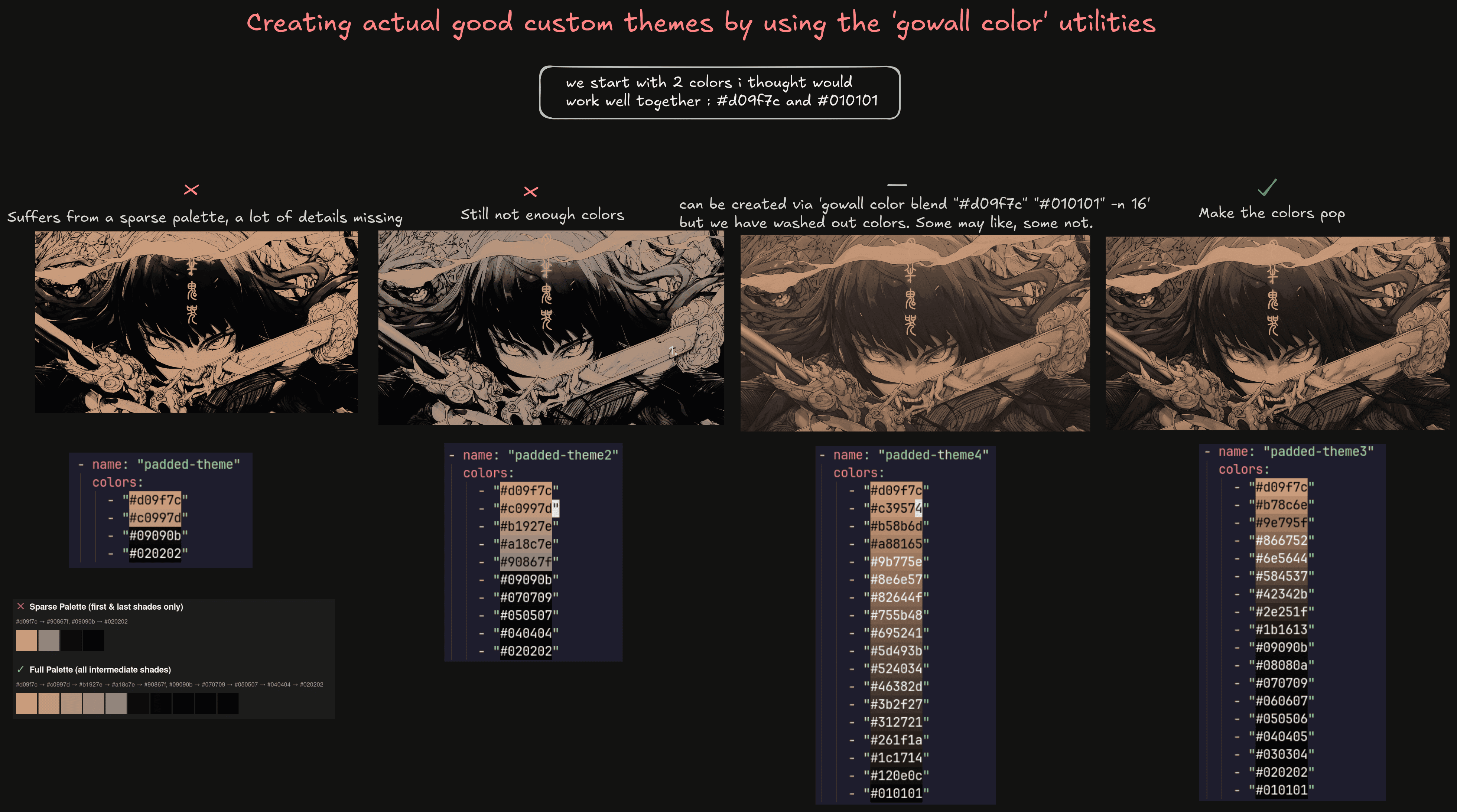
You pad out the colors by using gowall tint/blend and other cmds. I'm sure many attempts will output washed out colors, so
you gotta give them a little pop at the end. In the above example i make everything above especially the blacks.
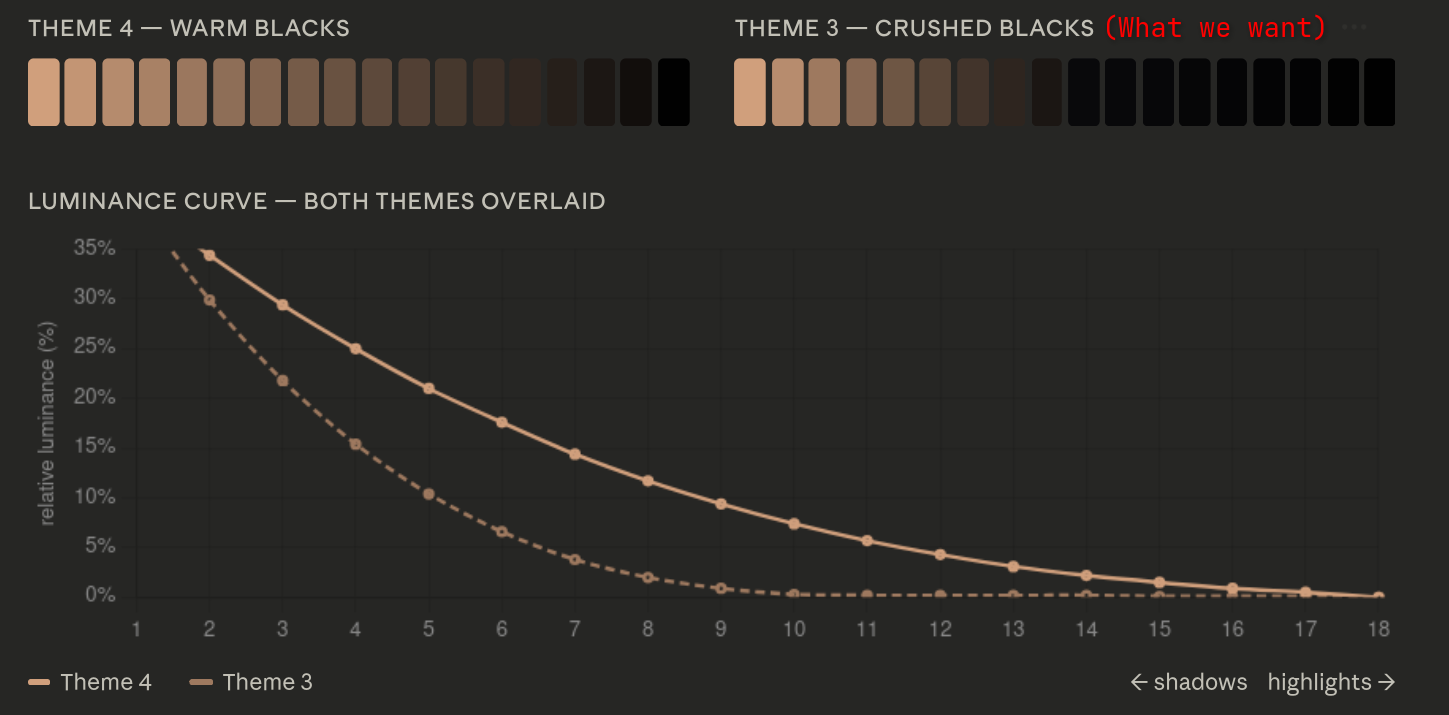
You see the steep dropoff in theme3? you need that to get a sharp true black, before with the blend it warm and brown-tinted.
- Modify existing themes to remove colors you dont like in the image and add accent colors.
Check out the Custom Themes section where i use a
catppuccin theme and add a yellow accent color. Now if you ever see a catppuccin-yellow wallpaper or theme you know who popularized it.