Stack images into a grid (New)
Stack images in any way you want, seperate them with a border of your color and pixel size.
- You want to create a 3x3 grid to fit your images? cool.
- You want to stack 2 images vertical or horizontal? sure.
- Combine the above for even more complex layouts.
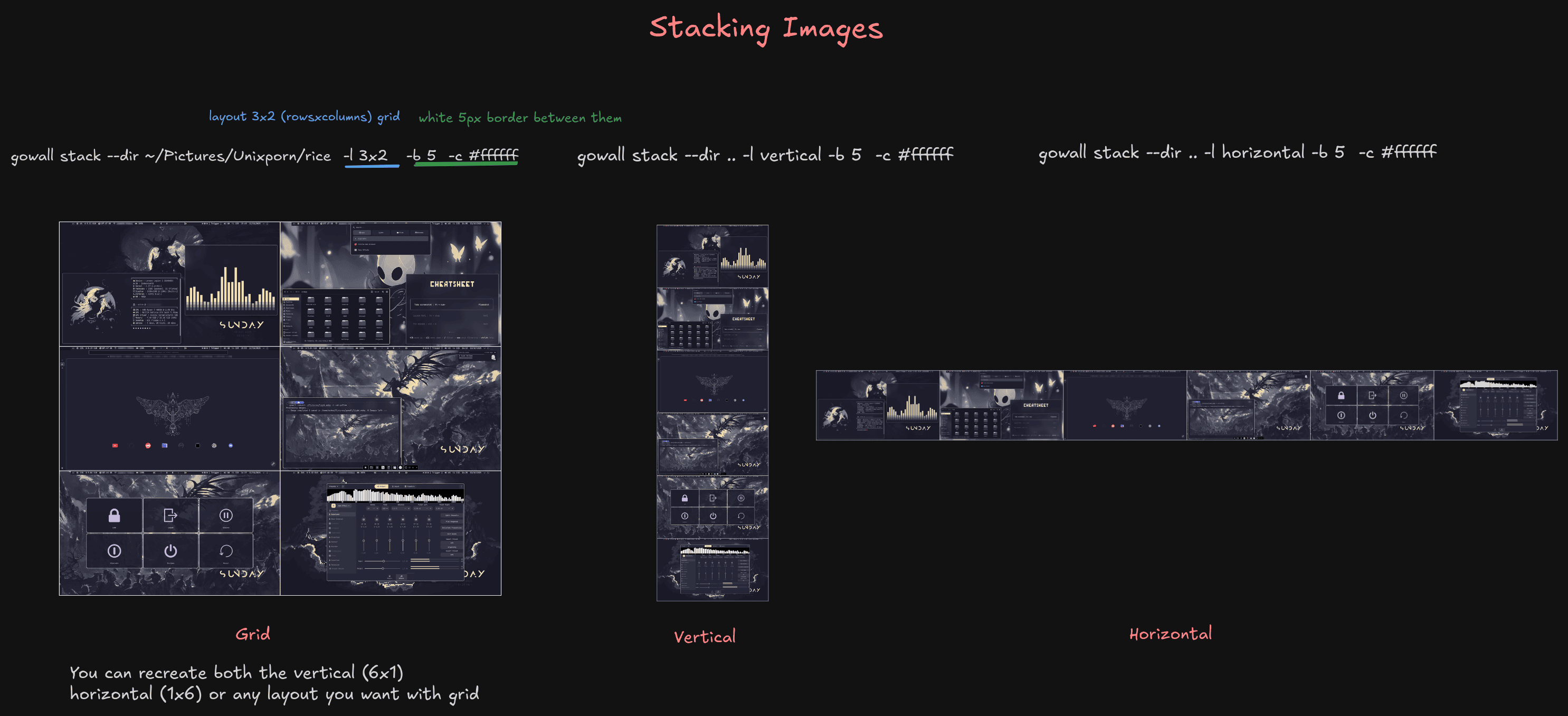
gowall stack --dir ~/Pictures/Unixporn/rice -l 3x2 -b 5 -c "#ffffff"
gowall stack --batch img1.png,img2.png,img3.png -l 3x1 -b 5 -c "#ffffff"

gowall stack --dir ~/Pictures/Unixporn/rice -l 3x2 -b 5 -c "#ffffff" --output ~/NewFolder
Usage & Options
➤ Layout
The -l (or --layout) flag controls the layout of the images.
-
Values :
MxNwhere M is the number of images per row and N is the number of rows.horizontaljust stacks the images horizontally.verticaljust stacks the images vertically. (default)
You can combine the grid and the horizontal/vertical stacking together to create really complex layouts.
If you use something like 3x2 your max amount images is 6 but you can use less images and the empty cells will become transparent except their border.
# This grid can accommodate up to 10 images. Empty grid cells just become transparent except their border
# If our directory here has 10 images it will create a perfect grid.
gowall stack --dir ~/Pictures/screenshots -l 2x5
➤ Border color
The -c (or --color) flag controls the color that fills the borders together with its color
gowall stack --dir ~/Pictures/Unixporn/rice -l 3x2 -b 5 -c "#ffffff"
➤ Border thickness
The -b (or --border) flag controls the thickness of the empty space between images and around the outer edge of the grid.
- Values :
- Any positive integer. The value is in pixels.
gowall stack --dir ~/Pictures/wallpapers -l 4x2 -b 5 -c "#ffffff"
➤ Resize
The -r (or --resize) flag is used to control when resize applies.
- Values :
off: Doesnt do any resizing. (default)biggest: resizes all images down to match the smallest image's dimensions
gowall stack --dir ~/Pictures/wallpapers -l 4x2 -b 5 -c "#ffffff" -r biggest